

Slop, Slop, Go Away
Old and new tricks for maintaining clean, safe codebases against agentic and human contributors
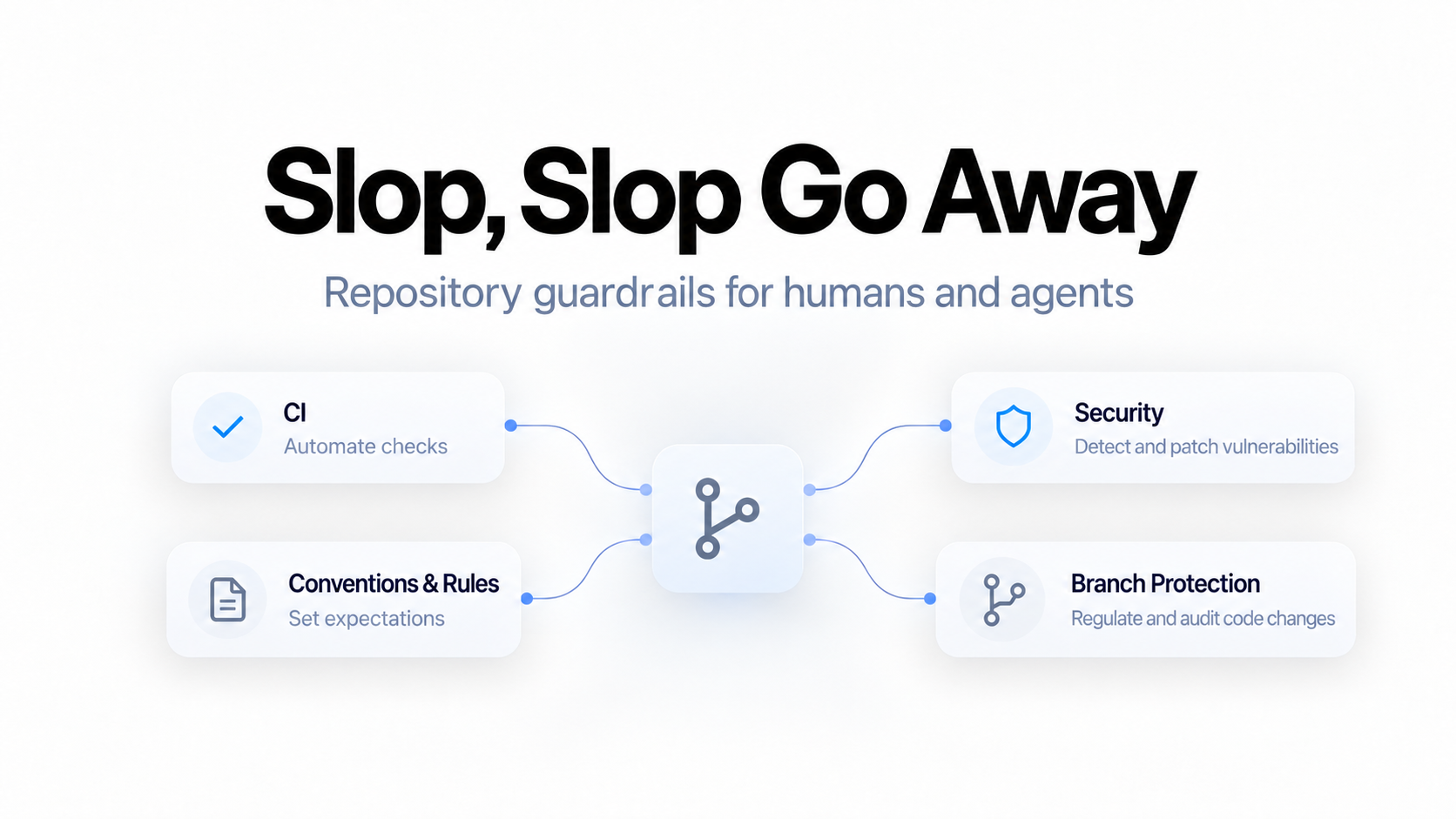
If you have ever vibe-coded a killer proof of concept only to watch it devolve into unusable AI slop the moment you tried to iterate on it, this article is for you.
The techniques below, some agent-specific and some tried and true, show you how to set repositories up early so that both human and agentic contributors can iterate effectively without gradually destroying the viability of your source.
Stage 1: Establish the Core Quality and Security Pipeline
Every repository intended to be taken seriously needs automated quality, security, and secret-scanning checks in its pull request and main-branch workflows.
At a minimum, that means:
linting
formatting
static analysis or compilation
automated unit and ideally integration tests
static and potentially dynamic application security testing (SAST and DAST respectively)
secret scanning
NOTE: These checks won't catch everything, but they eliminate a large category of avoidable failures before code reaches a protected branch, and they dramatically reduce manual review and margin for error as a maintainer.
Linting
A linter catches anti-patterns such as unused imports, dead code, unreachable branches, inconsistent conventions, and language-specific mistakes. Personally, I reach for Ruff in Python projects and ESLint in TypeScript/JavaScript, but as long as you opt for a reputable tool, performance should be comparable.
This is especially useful with agent-generated changes. Agents often produce code that includes stale imports, unnecessary abstractions, duplicated logic, or references left behind during a refactor. Linting is cheap, fast, and effective at catching those mistakes.
Formatting
A formatter gives the repository a deterministic code style. For me this is Prettier for the JS/TS side and Ruff format for Python.
The primary benefit is not aesthetics, though that's a plus. Formatting removes an entire category of meaningless diff noise involving indentation, spacing, line wrapping, and inconsistent layout.
The more agents and humans contributing to a single repository, the bigger the payoff. Your reviewers should be evaluating behavior and architecture, not trying to separate styling nuances from real changes.
Static Analysis, Type Checking, and Compilation
Your pipeline should include the strongest static validation your language and stack support.
For example:
compile TypeScript with
tsc --noEmitrun Pyright against Python
run the compiler for Go, Rust, Java, C#, or C++
validate Terraform with
terraform validateThe goal is to catch invalid function calls, incompatible arguments, missing properties, broken imports, and other structural mistakes before runtime.
This is particularly important in heavily abstracted codebases. An agent can confidently call a method that does not exist, pass an object with the wrong shape, or update one side of an interface without updating the other.
Note that effectiveness here depends heavily on the quality of your types, interfaces, schemas, and configuration. A codebase full of untyped escape hatches will still allow broken code through. But strong static validation gives both humans and agents much less rope to make glaring mistakes.
Automated Tests
You should always test code, especially code written by agents.
For smaller repositories, I usually run unit tests as part of the main CI job. For larger suites, it can make sense to split unit, integration, contract, and end-to-end tests into separate jobs so they can run in parallel and fail independently.
NOTE: For this to be valuable, your tests need to meaningfully validate behavior, edge cases, and regressions. Agents love to write tests that pass, not necessarily tests that validate.
Because of this, I highly suggest either testing yourself or building a solid testing workflow and skill set for your agents. Not sure where to start here? Check out my open source agent-first testing ecosystem, Playgentic.
Static Application Security Testing
Static application security testing analyzes source code without executing it and identifies potentially dangerous patterns.
I use CodeQL for this.
Its strongest capability is data-flow analysis: determining whether untrusted input can reach a sensitive operation such as a database query, command execution function, file-system operation, or browser-facing output. SAST will not catch every vulnerability, as a static tool can't fully understand business logic or complex runtimes. But it is at least a second set of eyes on your security practices.
Particularly in large agent-generated pull requests, I have seen agents make subtle mistakes around client/server boundaries, trust assumptions, input validation, and sensitive data exposure, and had CodeQL flag it for me.
Dynamic Application Security Testing
If your application has a deployed test environment, DAST can add another useful layer.
Unlike SAST, DAST evaluates the running application from the outside. This can catch runtime issues involving exposed endpoints, insecure headers, authentication behavior, input handling, and configuration that source analysis alone may miss.
This is a bit overkill for hobby or personal projects, but once you're maintaining an actual web application or API, particularly one exposed to the public, it becomes worth considering as an extra layer of protection.
Secret Scanning
I use Gitleaks to scan for credentials, tokens, private keys, and other sensitive values before they are merged. Secret scanning is simple in principle: if someone commits an API key, the pipeline fails immediately and warns you, so you can act proactively to:
Revoke or rotate the exposed credential.
Check whether it was used.
Remove it from the code and configuration.
Fix the process that allowed it to be committed.
Remove it from Git history where appropriate.
NOTE: You can also customize Gitleaks rules and allowlists to reduce false positives for test fixtures, example values, and repository-specific patterns.
Stage 2: Give Contributors the Rules Before They Write Code
A pipeline tells contributors they broke the rules after the fact, but at the cost of a delayed feedback loop, compute costs, and rework. It's much cheaper to make expectations explicit before anyone, human or agent, even writes a line.
The following conventions and tools establish what contributors should know about how the repository/application works, what standards they're expected to follow, and how to validate their changes before they ever reach CI.
Human Contributors
For human contributors, contribution expectations and conventions usually live in your README.md and CONTRIBUTING.md.
At a minimum, document:
how to set up the project locally
how to run linting, formatting, type checking, and tests
branch and pull request expectations
architectural or repository conventions that are easy to violate
any required validation before opening a pull request You should not need tribal knowledge to make a safe contribution to the repository.
Agentic Contributors
Establish Expectations with Agent Rules
For agents, we write similar but more concise and technical instructions in CLAUDE.md, AGENTS.md, or equivalent files supported by the tooling.
Exact commands the agent is expected to run for linting, formatting, type checking, testing, and builds live here, along with any important repository-specific rules, such as where new modules go, which patterns are banned, and which directories are off-limits.
A few things to consider:
Agent rulesets shouldn't be a copy-paste of your human docs; the agent can always read those if it needs that context. These files should be focused on the expectations, commands, and tooling agents specifically are expected to adhere to.
Agent rules are ADVISORY. Even though an agent is expected to follow them, it can always forget or drift from them, especially in more complex, context-heavy workflows. That's where the next component comes in.
Deterministic Checkpoints With Agent-Side Hooks
Most agentic coding tools now support hooks that run at fixed points in the agent's loop. In Claude Code, for example, a PostToolUse hook can run your formatter and linter on every file the agent edits, immediately after it edits it. The agent sees the lint output as feedback and fixes problems while the context is still fresh. By introducing these quick checkpoints, we can keep the agent on track and catch mistakes quicker to self-heal.
A few hooks I'd consider:
After every edit: format and lint the changed file on the spot.
Before the agent ends its turn: run the type checker and fast unit tests, and block completion if they fail so the agent has to remediate.
Before risky commands: block things like force pushes or writes to protected paths outright via command disallows in your harness config.
Stage 3: Enforce the Rules
A quality pipeline is worthless if contributors can bypass it.
Protect Your Main Branch
At an absolute minimum, protect main. Set up a branch protection rule (or ruleset) that requires:
pull requests with a code review
passing status checks
no direct pushes
no force pushes
limited bypass permissions
This prevents humans, agents, and automation from skipping the repository's normal review and validation path, and keeps production code behind a gated process. Bad code CAN still make it through, but not without you seeing it first.
Scope Your Agents' Permissions
Branch protection only works if the agent can't bypass it. If your agent runs with an admin token or a personal access token that carries your full permissions, every rule is one flag away from being optional.
Give agents the narrowest credentials that let them do their job: permission to push branches and open pull requests, never the ability to bypass protections or push to main. Treat an agent like a junior developer on day one, not like a repo owner.
Use Lightweight Pre-Commit Hooks
CI catches problems after code reaches the remote repository. Pre-commit hooks shift quality further left and catch problems before the commit is even created.
NOTE: These are different from agent hooks. These are programmatic, repo-level hooks independent of an agent harness.
I keep local hooks intentionally lightweight:
lint changed files
format changed files
remove trailing whitespace
validate basic file structure
These fast checks catch boneheaded errors quickly and save you both time and CI minutes. I would NOT put your entire test and security suite into a pre-commit hook, though. Once committing becomes slow or unreliable, contributors start bypassing it.
Stage 4: Protect Against Third-Party Risk
Once you've protected your own code, it's time to protect yourself and consumers of your applications from the third-party code you import: dependencies and CI workflows.
Automate Dependency Updates
Most projects depend on a stack of third-party packages, and vulnerabilities are constantly identified and patched in these packages. If updating them to the latest versions in your packages is a manual chore, it doesn't happen, and your project quietly drifts onto versions with publicly known exploits.
In agent-heavy development this is even more of a risk, as models frequently suggest and use outdated package versions, deprecated APIs, or examples copied from old documentation due to older training data, which are more likely to introduce real vulnerabilities into your system if not detected.
Luckily, there are several great tools out there for automating this process.
On GitHub, I run Dependabot weekly against both application dependencies and GitHub Actions. Each update arrives as a pull request that goes through the same CI, security, and review process as any source change.
To avoid conflicts and PR spam, use Dependabot's built-in groups setting to batch related updates into a single PR. I also add a cooldown so brand-new releases age a few days before Dependabot offers them. This is mainly as protection against compromised version bumps that are usually caught and pulled quickly.
version: 2
updates:
  - package-ecosystem: "npm"
    directory: "/"
    schedule:
      interval: "weekly"
    cooldown:
      default-days: 5
    groups:
      minor-and-patch:
        update-types:
          - "minor"
          - "patch"
  - package-ecosystem: "github-actions"
    directory: "/"
    schedule:
      interval: "weekly"
    groups:
      actions:
        patterns:
          - "*"
For more major bumps that need code changes or conflicts between grouped PRs, a well-written local agent skill works great. If you want to be extra fancy though, an agentic CI/CD job triggered by Dependabot PRs can handle consolidation and basic conflict resolution nearly automatically.
Commit the Lockfile
Automated updates keep you current. Lockfiles make sure only the versions you've approved and tested get used in fresh installs.
Commit the lockfile your package manager generates (uv.lock, poetry.lock, package-lock.json, pnpm-lock.yaml, yarn.lock, Cargo.lock). It records the exact dependency graph your project resolved, including transitive dependencies, so local development, CI, and deployment all install the same versions that were tested every time.
Without one, a fresh install can resolve a newer release than one you've tested, introducing a silent regression or, even worse, malicious code in the case of an evil version bump from a compromised package, which we saw just this year in the Axios Supply Chain Attack.
Pin GitHub Actions to Commit SHAs
The same logic of the lockfile also applies to your workflows. Most reference Actions by mutable tag:
- uses: actions/checkout@v4
The problem here is these tags can be moved. In March 2025, attackers compromised the popular tj-actions/changed-files action and repointed its version tags to code that dumped CI secrets into workflow logs. A repository referencing it by the mutable tag would've run the attacker's code on its next build. But one pinned to a commit SHA would have kept running the safe version.
- uses: actions/checkout@<full-commit-sha> # v4.x.x
What's even better? Dependabot and other tools understand this pinned style, so you keep the automated updates from above without giving up the guarantee.
Stage 5: Establish Clear Versioning and Audit Trails
With multiple agents and humans contributing, things change (and break) very quickly. This makes having established conventions for how you commit, review, and release code more important than ever.
If you want to forgo digging through a pile of loosely described commits wondering where it all went wrong, the following strategies are a good start.
Use Conventional Commits
Adopt a structured commit format such as Conventional Commits:
feat(auth): add refresh token rotation
fix(api): handle empty pagination cursor
chore(deps): bump ruff to latest
The prefix tells you at a glance what kind of change each commit is, and it makes the history machine-readable for the tooling below.
Agents are exceptionally good at writing these clean, structured commit messages. Put your desired format and process in your CLAUDE.md, and enforce it with a programmatic commit-message lint (such as commitlint) in your hooks or as a PR title check.
Define a Pull Request Template
Good commits tell you what changed incrementally but often don't paint a full picture. Agents also tend to spam small commits, which can sometimes make them overwhelming to review piecemeal.
PRs are where incremental changes will come together into larger bodies of work, making it easier to fully understand the changes holistically. Also, since PRs sit on the boundary between branches, when they are done correctly they're instrumental when tracing bugs through the promotion chain.
The problem is their effectiveness for review, and later auditing, hinges largely on their standardization.
Luckily, most version control platforms make it easy to fill PR templates. GitHub automatically pre-fills new pull requests from a template at .github/pull_request_template.md. An example template might look like this:
## Summary
<!-- What does this change do, in one or two sentences? -->

## Why
<!-- The problem or requirement behind it. Link the issues if relevant. -->

## Type of Change
- [ ] Feature
- [ ] Fix
- [ ] Chore
- [ ] Refactor
- [ ] Dependencies
- [ ] Docs only

## Test Evidence
<!-- Automated test results, screenshots, log snippets, documents, etc. -->

## Blast Radius
<!-- What areas of the application does this touch? Where are we most at risk for regression? -->

## Documentation
- [ ] README / CONTRIBUTING updated, or not needed
- [ ] CLAUDE.md / AGENTS.md updated if conventions changed
- [ ] CHANGELOG or other versioning docs updated (if relevant)

## Results, Notes, and Other Context
Define a clear template like this with the expectations on what documentation you expect humans and agents to provide alongside their changes, and enforce it in your reviews.
Just make sure reviews are actually mandatory by requiring approving reviews in your branch protection rules like discussed earlier, so no PR reaches main without someone checking it against the template.
Automate Release Versions and Changelogs
Once commits are structured, if your project is something you plan to release and incrementally improve/update, you should consider developing a strategy for how you bump versions and release your code.
For larger, more serious projects where you want things strict and consistent, there are tools like release-please or semantic-release that read the commit history, apply semantic versioning (a fix bumps the patch version, a feat bumps the minor, a breaking change bumps the major), generate a changelog, and cut tagged releases.
In all honesty, for smaller projects I tend to forgo this strict of a setup and just use repo-level agent skills and rules to have agents update changelogs as they work and go through the release rituals, but it is still good to know about these tools.
Conclusion
Agents and Humans are both prone to mistakes and non-deterministic behavior, which is bad for codebase cleanliness and safety. The more we can establish a fast and objective feedback loop that identifies problems and automates fixes, the more effective and safe our contributors can be.
While due diligence and solid human review remain the last line of defense against the slop, the earlier you put the strategies, documentation, and deterministic controls discussed here in place, the easier it is to iterate quickly without trading away the maintainability, security, or confidence in your codebase.
Happy Hacking!
-BAM

